
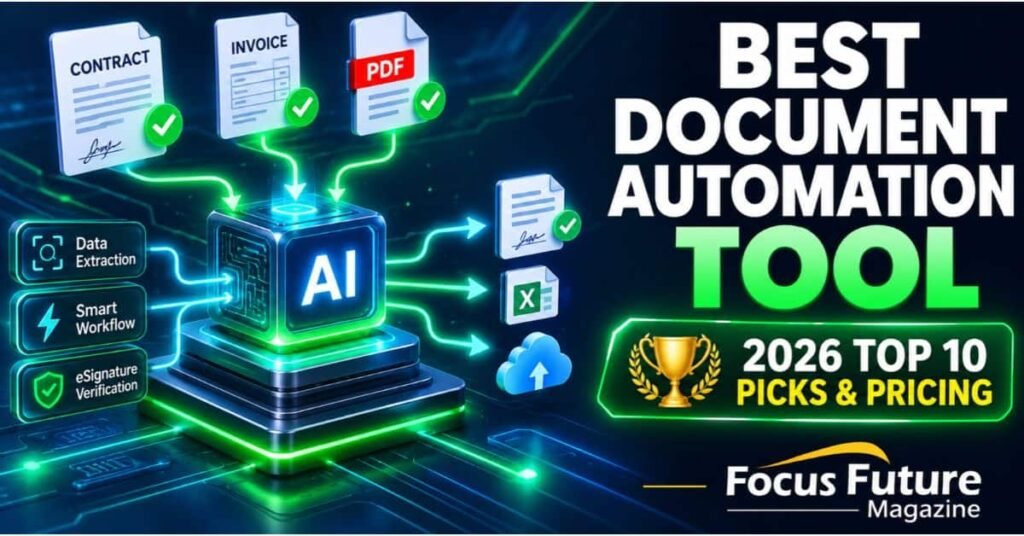
There is no single best document automation tool for every team. The right pick depends on your main bottleneck: creating outgoing proposals and contracts, pulling data out of incoming PDFs, connecting apps with workflows, or keeping records governed and audit-ready.
Pick the wrong category and you end up paying for a feature set you never use. A team drowning in supplier invoices does not need a proposal builder, and a sales team chasing signatures does not need an OCR engine.
This guide sorts ten tools by the job they actually do, with 2026 pricing, honest pros and cons, and a checklist for assembling a stack that works.
Pricing note: Software vendors change plans often. The prices below are the figures we have on record for 2026. Confirm them on each vendor’s pricing page before you buy.
Quick Answer: The Best Document Automation Tool by Use Case
Start here if you want the short version.
- Best for proposals, quotes and e-sign: PandaDoc (from about $35/user/month, with a free plan) and DocuSign ($11/month Personal, $30/user/month Standard, $45/user/month Business Pro, billed annually).
- Best for AI PDF intake and data extraction (IDP): Docsumo (free trial up to 1,000 pages; custom Business and Enterprise pricing), plus Google Document AI or Amazon Textract if you want a cloud API.
- Best for no-code workflow and approval automation: Zapier (free plan; paid from $19.99/month billed annually) and Cflow ($11/month Joy, $16/month Bliss).
- Best for legal and complex template assembly: Gavel (from about $83/month) and Mitratech HotDocs (enterprise quote).
- Best for governed document management and compliance: M-Files (from $65/seat/month Essentials) and Zoho WorkDrive (from $3/user/month).
Adobe Acrobat ($14.99/seat/month) sits across several of these jobs and gets its own review below.
Document Automation Tool Comparison Table (2026)
| Tool | Primary Job / Category | Best For | 2026 Pricing |
|---|---|---|---|
| PandaDoc | Proposal, quote and contract generation with e-sign | Sales teams sending proposals | From ~$35/user/month; free plan available |
| Docsumo | AI PDF extraction (IDP) | Invoices, bank statements, forms | Free trial up to 1,000 pages; custom Business/Enterprise |
| DocuSign | E-signature and agreement workflow | Signature-heavy approvals | $11/mo Personal; $30/user/mo Standard; $45/user/mo Business Pro (annual) |
| Zapier | No-code app workflows | Connecting apps without developers | Free plan; from $19.99/month (annual) |
| Cflow | No-code approval workflows | Internal requests and approvals | $11/mo Joy; $16/mo Bliss |
| Gavel | Legal document assembly | Law firms and legal ops | From ~$83/month |
| Mitratech HotDocs | Complex template assembly | Large legal and compliance teams | Enterprise quote |
| M-Files | Governed document management | Regulated industries | From $65/seat/month (Essentials) |
| Zoho WorkDrive | Team file management | Small teams on a budget | From $3/user/month |
| Adobe Acrobat | PDF editing, forms and signing | PDF-centered daily work | $14.99/seat/month |
Document Automation vs. Document Management: Don’t Buy the Wrong One
This is the most common buying mistake we see. A document management system (DMS) stores, organizes, versions and secures files. Document automation does something with the document: it builds it, sends it, collects a signature, extracts data, or routes it for approval.
A simple test: if your pain is “we can’t find the latest contract,” you need a DMS. If your pain is “someone retypes the same details into every contract,” you need automation.
- Document automation handles create-sign loops and extract-route loops. Think PandaDoc, Docsumo, Zapier, Gavel.
- Document management handles storage, permissions, retention and audit trails. Think M-Files and Zoho WorkDrive.
- Overlap exists. M-Files adds workflows on top of governance, and PandaDoc keeps a document repository. But each tool is strong at one side and thin on the other.
Most mature teams end up with one of each, joined by an integration or a Zapier-style connector.
The Best Document Automation Tool: Top 10 Reviewed
1. PandaDoc: Best for Proposals, Quotes and Contracts
PandaDoc builds a document from a template, fills in deal data, sends it, and collects the signature in one place. It is the tool to look at first if sales paperwork is your bottleneck.
Pricing starts around $35/user/month, and a free plan exists for light use.
Pros
- Template-driven creation: Reusable proposals, quotes and contracts with fields that pull from your CRM.
- E-sign built in: No second tool needed to close the loop.
- Free plan: Lets a small team test the workflow before paying.
Cons
- Per-user cost adds up: A large sales floor gets expensive quickly.
- Not an extraction tool: It generates outgoing documents; it won’t read messy incoming PDFs.
- Advanced features sit on higher tiers: Check which plan includes the CRM integrations you need.
Real use case: A sales rep updates a deal stage in the CRM, and a priced quote with the correct terms is ready to send without anyone copying numbers by hand.
2. Docsumo: Best for AI PDF Extraction (IDP)
Docsumo reads incoming documents such as invoices, bank statements, and forms, and turns them into structured data. If your team retypes information from PDFs, this is the category that fixes it.
There is a free trial covering up to 1,000 pages. Business and Enterprise plans are custom priced.
Pros
- Handles messy layouts: Built for scanned, skewed, and inconsistent documents rather than clean templates only.
- Review step for exceptions: Low-confidence fields can go to a person instead of slipping through.
- Generous trial: 1,000 pages is enough to test real files.
Cons
- Not an e-signature tool: You need a separate product to collect signatures.
- Custom pricing: You’ll have to talk to sales to learn what you’ll really pay.
- Needs a downstream system: Extracted data is only useful once it lands in your ERP, accounting, or workflow tool.
Real use case: An accounts payable team receives invoices from hundreds of vendors in different formats. Docsumo pulls the vendor, line items, and totals so staff verify rather than type.
3. DocuSign: Best for Signatures and Agreement Workflow
DocuSign is the name most counterparties already recognize, which removes friction at the signing step. It does one job very well.
Plans run $11/month Personal, $30/user/month Standard, and $45/user/month Business Pro, billed annually.
Pros
- Familiar to signers: Clients rarely hesitate when they see it.
- Solid signing workflow: Routing order, reminders, and audit trail are mature.
- Wide integrations: Connects to most major CRMs and storage tools.
Cons
- Light on document generation: It is not where you build complex documents from data. Pair it with a generator or template tool.
- Tier jumps matter: Features such as bulk sending and advanced fields are on higher plans.
- Per-user pricing: Costs climb as more people need to send.
Real use case: HR sends offer letters that need sign-off from a candidate and a hiring manager, in a set order, with a record of who signed when.
4. Zapier: Best for Connecting Apps Without Code
Zapier is the glue. It moves data and triggers actions between apps, so a signed contract can create a folder, notify a channel, and update a spreadsheet automatically.
There is a free plan, and paid plans start from $19.99/month billed annually.
Pros
- Huge app coverage: It connects tools that don’t integrate natively.
- Quick to prototype: Non-technical staff can build a working flow in an afternoon.
- Free plan: Good for testing a single automation.
Cons
- Task-based usage: Busy workflows can burn through plan limits.
- Not a document engine: It moves documents and data but doesn’t generate or read them itself.
- Complex flows get hard to maintain: Long chains need documentation, or they turn into a puzzle.
Real use case: When a PandaDoc contract is signed, Zapier posts to Slack, creates the customer in the billing tool, and files the PDF.
5. Cflow: Best for Approval and Request Workflows
Cflow is a no-code workflow tool aimed at internal processes such as purchase requests, leave approvals, and onboarding forms.
Pricing is $11/month on the Joy plan and $16/month on the Bliss plan.
Pros
- Low entry price: Among the cheapest ways to get structured approvals.
- Form-to-approval flow: Requests move through defined steps with a visible trail.
- Easy for business users: Process owners can set it up without engineering.
Cons
- Smaller ecosystem than Zapier: Check the integrations you need before committing.
- Not built for heavy document creation: It routes and approves; it isn’t a contract generator.
- Confirm limits per plan: Entry plans may cap users or workflows.
Real use case: A manager submits a purchase request, finance and the department head approve in sequence, and the record is stored automatically.
6. Gavel: Best for Legal Document Assembly
Gavel lets legal teams build guided interviews that produce finished documents, without writing code. It suits firms that produce the same kinds of agreements repeatedly with variations.
Pricing starts around $83/month.
Pros
- Built for conditional logic: Clauses appear or disappear based on the answers.
- No-code authoring: Lawyers can build their own templates.
- Client-facing intake: Clients can answer questions and get a draft.
Cons
- Learning curve: Good templates take real planning time.
- Narrower audience: Less useful for sales or finance workflows.
- Pricing can scale: Confirm costs for multi-user firms.
Real use case: A small firm turns its standard engagement letter and NDA into guided forms that clients complete online.
7. M-Files: Best for Governed Document Management
M-Files organizes documents by what they are rather than where they sit in a folder. That helps regulated teams that need version control, permissions, and audit trails.
The Essentials plan starts at $65/seat/month.
Pros
- Metadata-based organization: Find a document by its type, client, or status.
- Governance features: Retention, access control, and audit history for compliance work.
- Workflow support: Approvals can run on top of the repository.
Cons
- Higher price per seat: It’s an investment compared with basic cloud storage.
- Implementation effort: Setting up metadata and structure takes planning.
- Overkill for small teams: A five-person shop likely doesn’t need it.
Real use case: A manufacturer keeps quality documents under controlled versions so auditors can see who approved what, and when.
8. Adobe Acrobat: Best for PDF-Centered Daily Work
Adobe Acrobat covers editing, forms, comments, and signing for teams that live in PDFs. It’s a familiar, practical choice at $14.99/seat/month.
Pros
- Strong PDF editing: Reliable for revising, combining, and redacting files.
- Forms and signing in one app: Handy for straightforward agreements.
- Familiar interface: Little training required.
Cons
- Not a full automation platform: Limited for data-driven document generation or multi-app workflows.
- Per-seat pricing: Costs add up across a large team.
- Extraction is basic compared with IDP tools: Messy, high-volume intake needs a specialist.
Real use case: A small finance team edits, redacts, and signs vendor agreements without leaving one app.
9. Mitratech HotDocs: Best for Complex Enterprise Templates
HotDocs is a long-standing template assembly platform for large legal and compliance departments that manage thousands of document variations. Pricing is by enterprise quote.
Its strength is depth: complex logic, large libraries, and governance. Its weakness is the weight of implementation, so it rarely suits small teams.
10. Zoho WorkDrive: Best Budget Option for Team Files
Zoho WorkDrive starts from $3/user/month and gives small teams shared storage, permissions, and collaboration. It’s a document management choice rather than a generator or extractor.
It works best if you already use other Zoho apps. Treat it as the filing cabinet your automations write to.
Cloud API note: Developers who want to build extraction into their own software can look at Google Document AI or Amazon Textract. They offer strong building blocks, but you supply the review screens, integrations, and exceptions handling yourself.
How to Build the Best Document Automation Tool Stack: A 4-Step Checklist
You rarely need one product. You need the right combination for your bottleneck.
- Name your primary bottleneck first. Write down whether the delay is creating documents, reading incoming ones, routing approvals, or governing records. Buy for that problem only.
- Verify CRM and ERP integrations. Confirm native connections to your CRM, accounting system, or ERP. If one is missing, check whether Zapier or an API can bridge it, and what that costs.
- Test AI extraction on your messiest files. Don’t use the vendor’s clean sample. Upload your worst scans, skewed photos, and odd layouts, then measure how many fields need correction.
- Check security and compliance. Ask for SOC 2 reports, and confirm HIPAA support if you handle health data and GDPR terms if you handle EU residents’ data. Also ask where data is stored and how long it is retained.
A sample stack by team type:
- Sales team: PandaDoc for proposals and e-sign, Zapier to sync results, a DMS for archiving.
- Finance team: Docsumo for invoice intake, Cflow for approvals, your accounting system as the destination.
- Law firm: Gavel for assembly, DocuSign for signatures, M-Files for the matter record.
How to Choose the Best Document Automation Tool for Your Budget
Work out the cost per document, not just the cost per seat. A $35 seat that saves an hour a week pays for itself fast, while a $45 seat nobody opens is waste.
Start on free plans and trials where they exist: PandaDoc’s free plan, Docsumo’s 1,000-page trial, and Zapier’s free tier. Run one real workflow end to end before you commit to annual billing.
FAQs
What is the best free document automation tool?
For free options, PandaDoc has a free plan for basic document creation and e-sign, Zapier has a free plan for simple workflows, and Docsumo offers a free trial of up to 1,000 pages. Free tiers usually cap documents, users, or features, so they suit testing and very small teams.
What’s the difference between PDF extraction and template generation?
PDF extraction (IDP) reads documents you receive and turns them into structured data, as Docsumo does. Template generation builds documents you send, filling a template with your data, as PandaDoc and Gavel do. They solve opposite directions of the same problem.
Which is the best document automation tool for a small business?
It depends on your bottleneck. A small business sending quotes should start with PandaDoc, one drowning in invoices should test Docsumo, and one needing simple approvals could use Cflow or Zapier. Pick one problem, fix it, then add tools.
How is document automation different from a document management system?
A DMS such as M-Files or Zoho WorkDrive stores, versions, and secures files. Document automation creates, extracts, signs, or routes documents. Many teams use both, with automation feeding finished documents into the DMS.
How accurate is AI document extraction?
Accuracy varies with document quality, layout variety, and the tool. Clean, consistent files do well, while poor scans and unusual layouts need more review. Test with your own files and measure the share of fields that need correction rather than trusting a vendor’s headline figure.