
AI is no longer a novelty in the classroom. Recent global survey data puts student AI adoption above 85–90%, and multiple 2026 studies — from the Digital Education Council, HEPI, and Gallup — confirm that most students now use some form of generative AI in their coursework at least weekly. The real question in 2026 isn’t whether to use AI. It’s which tools actually help you learn, which ones quietly do the thinking for you, and which ones put your grades or your academic-integrity record at risk.
This guide ranks the 12 AI tools that matter most for students in 2026, compares real pricing and free tiers, and gives you a framework for using AI in a way that strengthens your work instead of replacing your understanding of it.
Quick Answer: The Best AI Tools for Students Right Now
If you only read one section, read this one.
- Best overall free tool: NotebookLM (Google) — grounds every answer in the documents you upload, so it can’t invent facts from thin air.
- Best for essay and paper writing help: Claude (Anthropic) — strongest at refining a draft you already wrote, without inventing sources.
- Best for web research with citations: Perplexity — answers come with links you can actually check.
- Best for quick explanations and brainstorming: ChatGPT — broad, fast, useful for ideation; weakest on citation accuracy.
- Best for exam memorization: Anki — free, open-source spaced repetition that has outlasted a decade of competitors.
- Best for lecture transcription: Otter.ai — free tier covers a light course load.
- Best for grammar and polish: Grammarly — still the standard for clarity and tone checks.
- Best for STEM problem-solving: Wolfram Alpha — grounded in real computation, not a language model’s guesswork.
Why This Guide Is Different
Most “best AI tools for students” lists are a rewritten version of the same six tools with the same three adjectives. This guide adds three things competitors skip:
- A student-type decision matrix so you don’t have to read 4,000 words to find your answer.
- A plain-language academic-integrity framework, because “use AI responsibly” isn’t actual advice.
- Sourced 2026 adoption statistics, so the claims here are checkable, not asserted.
Every tool below was evaluated on four criteria: does it show its sources, does it have a usable free tier, does it fit into a real student workflow (lectures, papers, exams), and does it help you understand material or just produce output.
The State of AI in Education in 2026
| Statistic | Figure | Source |
| Students who use AI in their learning globally | 88% | Digital Education Council Global Survey 2026 |
| UK undergraduates using generative AI for assessed work | 94% | HEPI Student Generative AI Survey 2026 |
| U.S. college students using AI in coursework weekly | 57% | Lumina Foundation–Gallup 2026 |
| U.S. college students using AI daily | ~1 in 5 | Lumina Foundation–Gallup 2026 |
| Students worried AI could make learning too shallow | 66% (81% in US/Canada) | Digital Education Council Global Survey 2026 |
| Students who directly submit AI-generated text in assessed work | 12% (up from 3% in 2024) | HEPI Student Generative AI Survey 2026 |
| Average number of AI tools students use for coursework | 2.1 | Digital Education Council Global Survey 2026 |
Key takeaway from the data: adoption is nearly universal, but student trust is not. A majority of students are already worried they’re outsourcing their own thinking. That tension is exactly why picking the right tool for the right job matters more than picking the most popular one.
The 12 Best AI Tools for Students in 2026
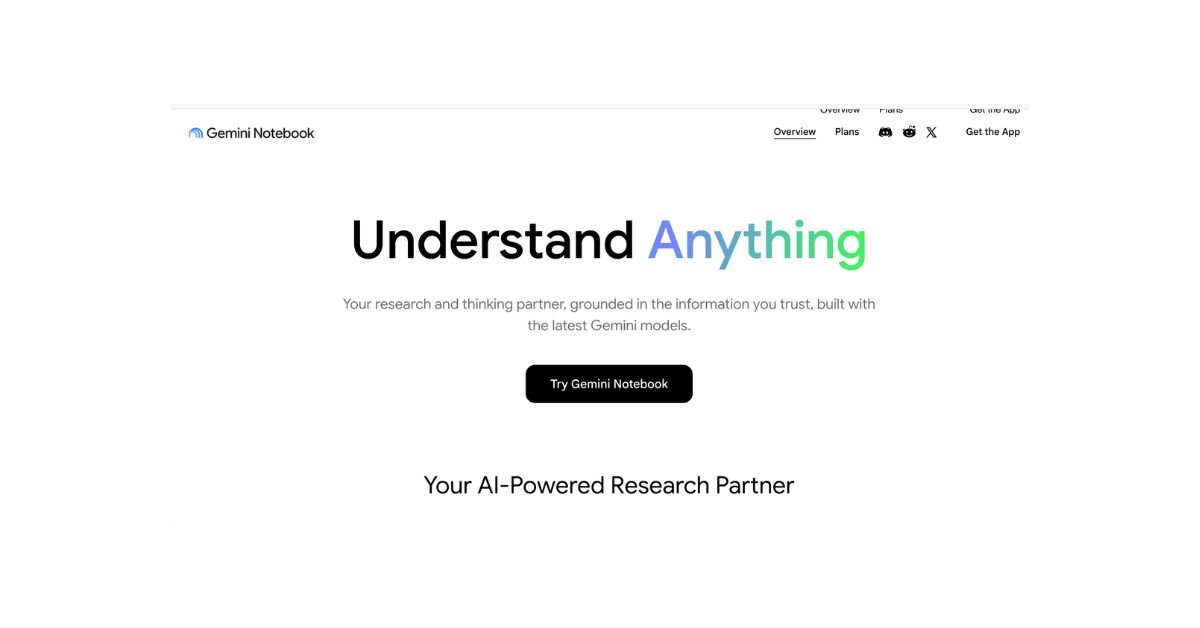
1. NotebookLM (Google) — Best Free, Source-Grounded Research Tool
Upload your lecture slides, PDFs, and readings, then ask questions. Every answer is tied back to your own material, which keeps hallucination low.
- Best for: literature reviews, exam review, source-grounded study.
- Pricing: free during its current preview period.
- Pros: minimal hallucination, audio-summary feature is genuinely useful for review, no cost.
- Cons: it won’t draft original writing for you; pair it with a writing tool.
2. Claude (Anthropic) — Best for Refining Your Own Writing
Claude is built for careful, nuanced editing rather than churning out generic drafts. It’s the strongest choice for tightening an argument, fixing structure, or explaining a dense passage back to you in plain language.
- Best for: editing essays you’ve already drafted, understanding difficult texts, structured feedback.
- Pricing: free tier with daily limits; Pro around $20/month.
- Pros: careful with uncertainty, strong reasoning, large context window for long papers.
- Cons: doesn’t ground citations automatically — always verify sources yourself.
3. Perplexity — Best for Sourced Web Research
Perplexity answers with citations attached by default, which makes it useful for the “what’s the current research on X” stage of a paper.
- Best for: current-events research, fact-checking, first-pass literature scans.
- Pricing: free tier with limited searches; Pro around $20/month.
- Pros: citations by default, good for early-stage research.
- Cons: sources sometimes skew toward general web content rather than primary academic literature.
4. ChatGPT (OpenAI) — Best for Brainstorming and Quick Study Help
Still the most widely used student AI tool, largely because of its broad ecosystem and voice mode for verbal study sessions.
- Best for: brainstorming outlines, explaining concepts, quick homework questions.
- Pricing: free tier with daily limits; Plus around $20/month.
- Pros: fast, flexible, huge plugin/GPT ecosystem.
- Cons: confidently invents citations and facts — never submit unverified AI output as fact.
5. Grammarly — Best for Grammar, Clarity, and Tone
The long-standing standard for polishing writing before submission.
- Best for: grammar checks, tone adjustment, plagiarism screening (Premium).
- Pricing: free tier; Premium around $12/month annual, with student discounts.
- Pros: mature plagiarism detection, easy browser integration.
- Cons: newer AI-generation features lag behind dedicated writing tools.
6. QuillBot — Best for Paraphrasing and Summarizing
Useful for rephrasing your own sentences and condensing long research notes — not for rewriting someone else’s work to disguise it.
- Best for: improving sentence variety, condensing notes.
- Pricing: free version; Premium from about $6–8/month for students.
- Pros: fast, simple interface.
- Cons: should refine your own writing, not replace it — overuse can flatten your natural voice.
7. Notion AI — Best for Organized, Doc-Shaped Note-Taking
Built into a workspace students already use for notes, tasks, and projects.
- Best for: class notes, project organization, task management.
- Pricing: free personal plan; AI add-on typically $8–10/month, often discounted for students with a school email.
- Pros: one place for notes, tasks, and projects.
- Cons: AI features are an add-on, not the core product.
8. Otter.ai — Best for Lecture Transcription
A campus standard for capturing lectures and meetings with speaker identification.
- Best for: live lecture capture, study-group meeting notes.
- Pricing: free tier covers 300 minutes/month; Pro around $17/month.
- Pros: reliable transcription, searchable across all your recordings.
- Cons: summary quality varies with audio clarity.
9. Anki — Best for Exam Memorization
An open-source spaced-repetition flashcard system that has outlasted every AI-native competitor.
- Best for: long-term retention, med/law school, language vocabulary.
- Pricing: free on desktop and web; a one-time paid app on iOS.
- Pros: the most rigorous spaced-repetition algorithm available, massive shared-deck library.
- Cons: dated interface; card creation takes real effort without AI assistance.
10. Quizlet AI — Best for Fast Study-Set Generation
Turns your notes or uploaded material into flashcards and practice tests quickly.
- Best for: quick study sets, K-12 and undergrad memorization.
- Pricing: free tier with limits; Plus around $8/month.
- Pros: faster generation, friendlier learning curve than Anki.
- Cons: less rigorous long-term retention algorithm than Anki.
11. Wolfram Alpha — Best for STEM Problem-Solving
A computational engine, not a language model, which means it’s grounded in real math rather than a guess.
- Best for: math, physics, chemistry, and engineering problem sets.
- Pricing: free for basic queries; student pricing around $7/month for step-by-step solutions.
- Pros: answers are computed, not hallucinated; step-by-step mode teaches the method, not just the final answer.
- Cons: narrow outside STEM subjects; interface feels dated.
12. Elicit — Best for Academic Paper Discovery
A research assistant built specifically to find and summarize peer-reviewed papers.
- Best for: literature reviews, finding relevant academic sources quickly.
- Pricing: free tier available; paid plans for heavier use.
- Pros: built around real academic databases rather than the open web.
- Cons: narrower scope than general-purpose assistants.
Comparison Table: All 12 Tools Side-by-Side
| Tool | Best For | Free Tier | Starting Paid Price | Citation-Safe? |
| NotebookLM | Source-grounded research | Yes (preview) | Free | Yes |
| Claude | Editing your own writing | Yes (limited) | ~$20/mo | Partial — verify sources |
| Perplexity | Sourced web research | Yes (limited) | ~$20/mo | Yes (citations shown) |
| ChatGPT | Brainstorming, quick help | Yes (limited) | ~$20/mo | No — verify everything |
| Grammarly | Grammar and tone | Yes | ~$12/mo | N/A |
| QuillBot | Paraphrasing | Yes | ~$6–8/mo | N/A |
| Notion AI | Note organization | Yes | ~$8–10/mo | N/A |
| Otter.ai | Lecture transcription | Yes (300 min/mo) | ~$17/mo | N/A |
| Anki | Exam memorization | Yes (desktop/web) | One-time (iOS) | N/A |
| Quizlet AI | Fast study sets | Yes (limited) | ~$8/mo | N/A |
| Wolfram Alpha | STEM problem-solving | Yes (basic) | ~$7/mo | Yes (computed) |
| Elicit | Academic paper discovery | Yes | Varies | Yes |
Which AI Tool Fits Your Student Type
- Undergrad humanities: NotebookLM (reading) + Claude (editing) + Grammarly (polish).
- Undergrad STEM: Wolfram Alpha (problem sets) + Anki (memorization) + NotebookLM (textbook synthesis).
- Graduate/master’s: NotebookLM + Perplexity + Elicit for literature synthesis.
- Medical or law student: Anki (high-volume memorization) + NotebookLM (case law/texts) + Quizlet AI (fast sets).
- High school student: Quizlet AI + Grammarly + ChatGPT for concept explanations, with a teacher-approved usage policy.
- Group project team: Notion AI (shared docs) + Otter.ai (meeting transcripts) + ChatGPT (individual ideation).
Is Using AI for Homework Cheating? An Honest Academic-Integrity Framework
The honest answer: it depends entirely on what the AI replaced.
- Generally accepted: using AI to explain a concept, generate practice questions, check grammar, or refine a draft you wrote yourself.
- Generally risky or prohibited: submitting AI-written text as your own first draft, generating an entire essay, or using AI-fabricated citations without checking them.
- The simple test: did the tool replace your thinking, or assist it? If you couldn’t explain your own paper’s argument without the AI, that’s a warning sign, not just an integrity risk.
2026 survey data backs this up — the share of students directly including AI-generated text in graded work has risen from 3% in 2024 to 12% in 2026, and the majority of students themselves say they’re worried about losing critical-thinking skills. Most institutions in 2026 permit AI as a study aid but require disclosure for anything closer to a finished submission. Always check your specific course syllabus — policies vary widely, even within the same university.
How to Build a Free Student AI Stack
You do not need to spend money to use AI well. A capable free stack in 2026 looks like this:
- NotebookLM (free during preview) for grounded research from your own readings.
- ChatGPT free tier for brainstorming and quick concept checks.
- Grammarly free tier for grammar and clarity.
- Anki desktop (free forever) for exam memorization.
- Claude free tier for occasional editing help on drafts you’ve written yourself.
This combination covers research, ideation, polish, and retention without a subscription.
Where AI Genuinely Hurts Learning
Being honest about the limits matters as much as the recommendations:
- Writing your first draft. Outsourcing the first draft outsources the thinking that builds the skill.
- Solving problem sets you don’t yet understand. It postpones the failure to exam day, when it costs more.
- Reading summaries instead of the source. Useful as orientation, dangerous as a substitute for the actual text.
- Trusting AI-generated citations without checking them. ChatGPT and Claude can invent sources that sound plausible and are not real.
- Treating AI as a replacement for office hours. A professor can diagnose exactly what you misunderstood; a chatbot can only guess.
Key Takeaways
- The best AI tools for students in 2026 ground their answers in real sources (NotebookLM, Perplexity, Wolfram Alpha) rather than guessing.
- No single tool covers every job — most students need 2–3 tools working together.
- Free tiers are genuinely usable in 2026; you don’t need a paid subscription to build a solid AI study stack.
- The line between helpful AI use and academic-integrity risk is whether the tool replaced your thinking or supported it.
- Adoption is nearly universal (88% globally), but a majority of students themselves worry about losing critical-thinking skills — use AI deliberately, not by default.
FAQs
What is the best free AI tool for students in 2026? NotebookLM is currently the strongest free option because it grounds every answer in the documents you upload, keeping hallucination low. Anki (desktop) is the strongest free tool specifically for exam memorization.
Is using AI for homework considered cheating? It depends on the use. Using AI to explain a concept, check grammar, or refine your own draft is generally accepted. Submitting AI-written text as your own first draft, without disclosure, is considered academic dishonesty at most institutions.
Which AI tool is best for writing essays? Claude is the strongest choice for editing a draft you’ve already written. Avoid using any AI tool to generate a full essay from scratch — both plagiarism detection and your own learning suffer.
Can professors tell if a student used AI? Detection tools are improving, and AI-written prose often has recognizable patterns. More importantly, AI-written essays frequently miss specific assignment instructions or a course’s particular framing, which is often more noticeable than the writing style itself.
Which AI tool is best for studying for exams? Anki for spaced-repetition memorization, Quizlet AI for fast study-set generation, and NotebookLM for source-grounded review of lecture material.
Is ChatGPT enough for university-level academic work? It’s useful for brainstorming and quick concept explanations, but it isn’t reliable for citation-heavy academic work because it can invent sources confidently. Pair it with NotebookLM or Perplexity for anything requiring verified citations.
What is the safest way to use AI in school? Use it to explain, organize, and refine — not to generate a first draft or solve a problem set you don’t yet understand. When in doubt, check your course’s specific AI policy and disclose your use.
Are there student discounts for AI tools? Yes, several. Wolfram Alpha has clear student pricing, QuillBot and Notion often discount for a school email, and many tools offer generous free tiers that cover typical student needs without payment.
Which AI tool is best for group projects? Notion AI for shared, doc-based collaboration and Otter.ai for transcribing group meetings, paired with any general chat tool for individual brainstorming.
Which AI tool is best for STEM problem-solving? Wolfram Alpha, because its answers come from actual computation rather than a language model’s prediction, and its step-by-step mode teaches the method rather than just the final answer.
Can AI tools help with research papers and citations? Perplexity and Elicit are built to surface and cite real sources. General chat tools like ChatGPT and Claude should never be trusted for citations without independently verifying every source.
How many AI tools should a student realistically use? Data from the Digital Education Council’s 2026 global survey shows students already use an average of 2.1 AI tools for coursework. A focused stack of 2–4 tools covering research, writing, memorization, and organization is more effective than trying every tool available.
Final Thoughts for Students in 2026
AI tools are great assistants, but they should never replace your own critical thinking. Use tools like NotebookLM and Perplexity to research and understand your syllabus faster, but make sure the final assignment reflects your own unique voice.